Examples
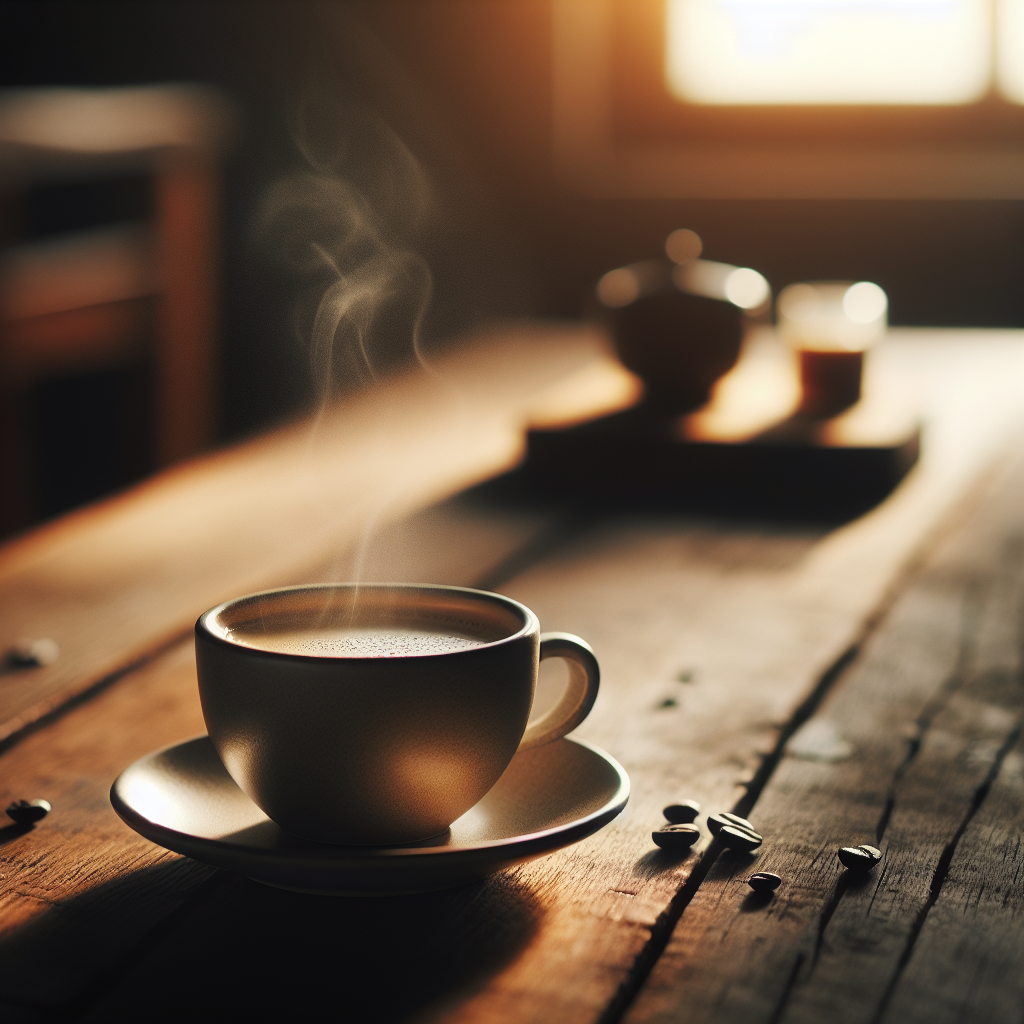
Layer 1: Generate an image using the DALL-E provider
claude-studio provider test dalle -t image -p "A steaming cup of artisan coffee on a rustic wooden table, morning sunlight streaming through a window, warm golden highlights, professional food photography, shallow depth of field" --live

Testing DalleProvider...
Prompt/Text: A steaming cup of artisan coffee on a rustic wooden table, morning sunlight streaming through a
window, warm golden highlights, professional food photography, shallow depth of field

╭────────────────────────────────────────────────── Test Result ──────────────────────────────────────────────────╮
│ ✓ Generation successful!                                                                                        │
│                                                                                                                 │
│ Result: ImageGenerationResult(success=True,                                                                     │
│ image_url='https://oaidalleapiprodscus.blob.core.windows.net/private/org-ihcXOEpn8fNNTnQOSctFD7wY/user-qPY9Ebd0 │
│ HzZUA2k2xqy3cvF0/img-5tPQpsir93TIsaJx5Iht2UsU.png?st=2026-01-31T00%3A25%3A30Z&se=2026-01-31T02%3A25%3A30Z&sp=r& │
│ sv=2024-08-04&sr=b&rscd=inline&rsct=image/png&skoid=7daae675-7b42-4e2e-ab4c-8d8419a28d99&sktid=a48cca56-e6da-48 │
│ 4e-a814-9c849652bcb3&skt=2026-01-31T01%3A25%3A30Z&ske=2026-02-01T01%3A25%3A30Z&sks=b&skv=2024-08-04&sig=9Hbdq%2 │
│ Bg6CeN/V8ostPi06u7xQtK5HUNXg3CCOwCdxGo%3D', image_path=None, width=1024, height=1024, format='png', cost=0.04,  │
│ error_message=None, provider_metadata={'model': 'dall-e-3', 'quality': 'standard', 'style': 'vivid',            │
│ 'revised_prompt': 'A cup of steaming, freshly brewed artisan coffee sits on a rustic wooden table. The soft     │
│ morning sunlight shines through an adjacent window, casting warm golden highlights upon the scene. The depth of │
│ field is shallow, a technique often used in professional food photography, infusing the image with a sense of   │
│ focused tranquility while the background gently blurs.', 'created': 1769822731})                                │
╰─────────────────────────────────────────────────────────────────────────────────────────────────────────────────╯
⠏ Complete!
Layer 3: Generate video from image using Luma
claude-studio test-provider luma -p "Steam rises gently from the coffee cup, morning light shifts slowly across the wooden table, peaceful cozy atmosphere" -i "https://raw.githubusercontent.com/aaronmarkham/claude-studio-producer/main/docs/screenshots/coffee_layer1.png" -d 5
Result:
This example takes the DALL-E generated coffee image and brings it to life with Luma’s image-to-video generation, adding realistic steam effects and dynamic lighting.
Layer 4: Add narration using ElevenLabs TTS
claude-studio test-provider elevenlabs -t "A perfect morning begins with the gentle aroma of freshly brewed coffee. Watch as delicate wisps of steam rise and dance in the golden morning light, creating a peaceful moment of tranquility before the day begins." --voice lily --live
Result:
This adds a beautiful narration using ElevenLabs’ Lily voice, completing the multi-sensory coffee experience. The TTS system converts text to natural-sounding speech with emotional expression and proper pacing.
Layer 5: Combine video and audio
The render mix command provides three different fit modes for handling video/audio length mismatches. Here’s a comparison:
Recommended: Speed-Match Mode
claude-studio render mix docs/videos/coffee_layer3.mp4 --audio docs/videos/coffee_narration_lily.mp3 -o docs/videos/coffee_final.mp4 --fit speed-match
Best for: This mode slows down video playback to match audio duration, keeping steam animation flowing smoothly throughout. Creates a meditative, cinematic feel.
Alternative: Freeze-Frame Mode
claude-studio render mix docs/videos/coffee_layer3.mp4 --audio docs/videos/coffee_narration_lily.mp3 -o docs/videos/coffee_final_longest.mp4 --fit longest
Best for: When you want the last frame as a static backdrop. Steam stops halfway, then holds on final frame while narration completes.
Alternative: Shortest Mode
claude-studio render mix docs/videos/coffee_layer3.mp4 --audio docs/videos/coffee_narration_lily.mp3 -o docs/videos/coffee_final_shortest.mp4 --fit shortest
Best for: When you want video and audio to end together. Cuts off narration mid-sentence at 5 seconds when video ends.
Comparison Summary:
| Mode | Video Length | Audio Length | Result | File Size |
|---|---|---|---|---|
speed-match ✓ |
Slowed to match audio | Full narration | Smooth, continuous animation | 1.4 MB |
longest |
Extended with freeze | Full narration | Animation stops, frame freezes | 1.2 MB |
shortest |
Original 5s | Truncated at 5s | Both end together, cuts narration | 2.1 MB |
Recommendation: Use --fit speed-match for this type of content where continuous motion enhances the viewing experience.
Full Production Pipeline with Automatic Mixing
The most powerful workflow: generate video, audio, and automatically mix them into a final output. No manual mixing required!
Audio-Led Production (Podcast Style)
# Audio-led production where narration drives the timeline
claude-studio produce "The history of espresso" --style podcast --budget 10 --live --provider luma

# What happens automatically:
# 1. ScriptWriter breaks down the concept into scenes
# 2. VideoGenerator creates videos for each scene (Luma)
# 3. AudioGenerator creates narration for each scene (ElevenLabs)
# 4. QAVerifier analyzes quality with Claude Vision
# 5. EditorAgent creates edit decision list with best takes
# 6. Automatic mixing: Each scene's video + audio → mixed scene
# 7. Concatenation: All mixed scenes → final_output.mp4
Output Structure
After a complete production run, your artifacts directory contains:
artifacts/run_20260131_143022/
├── video/
│   ├── scene_001_var_0.mp4       # Generated video clips
│   ├── scene_002_var_0.mp4
│   └── scene_003_var_0.mp4
├── audio/
│   ├── scene_001.mp3              # Generated narration
│   ├── scene_002.mp3
│   └── scene_003.mp3
├── mixed/                         # ← NEW: Individual mixed scenes
│   ├── scene_001_mixed.mp4        # Video + audio combined
│   ├── scene_002_mixed.mp4
│   └── scene_003_mixed.mp4
├── final_output.mp4               # ← NEW: Final concatenated output
├── edl.json                       # Edit decision list with audio URLs
├── metadata.json                  # Production metadata
└── qa_results.json                # Quality analysis scores
Production Modes
The system supports two production workflows:
| Mode | Timeline Driver | When to Use | Auto-Detected For | Fit Mode |
|---|---|---|---|---|
audio-led |
Audio duration sets timing | Podcast, educational, documentary | --style podcast, educational, documentary |
stretch |
video-led |
Video duration sets timing | Cinematic, visual-first | --style visual_storyboard, default |
stretch |
Examples with Different Modes
Audio-Led (Explicit):
claude-studio produce "Coffee brewing techniques" \
  --mode audio-led \
  --budget 15 \
  --live \
  --provider luma \
  --audio-provider elevenlabs
Video-Led (Default):
claude-studio produce "Cinematic product showcase" \
  --style visual_storyboard \
  --budget 10 \
  --live \
  --provider luma
Resuming with Audio Mixing
The resume command supports automatic mixing if it was skipped:
# Resume from editing stage and automatically mix audio+video
claude-studio resume run_20260131_143022 --from-step editor
If audio files exist in artifacts/<run_id>/audio/, the resume command will:
- Load scene audio files
- Pass them to the EditorAgent
- Perform automatic mixing pipeline
- Generate
final_output.mp4
Fit Modes for Duration Mismatches
When video and audio durations don’t match exactly:
stretch(default): Speed-adjust video to match audio duration- Best for: Audio-led productions where narration timing is critical
- Example: Slows down 5s video to match 8s audio
truncate: Trim longer asset to match shorter- Best for: When you want both to end together
- Example: 8s audio gets cut to 5s to match video
loop: Loop shorter asset to match longer- Best for: Extending video with freeze frame
- Example: 5s video freezes last frame until 8s audio completes
Manual Override
You can still use the render mix command for manual control (see Layer 5 above), but the automatic pipeline handles 99% of use cases with intelligent defaults based on your production mode.